Secure AI help that answers. Meet Norvey.
Norvey is built into norvelle and runs on frontier AI models. Your team gets a short answer from our help centre, with the articles it used.


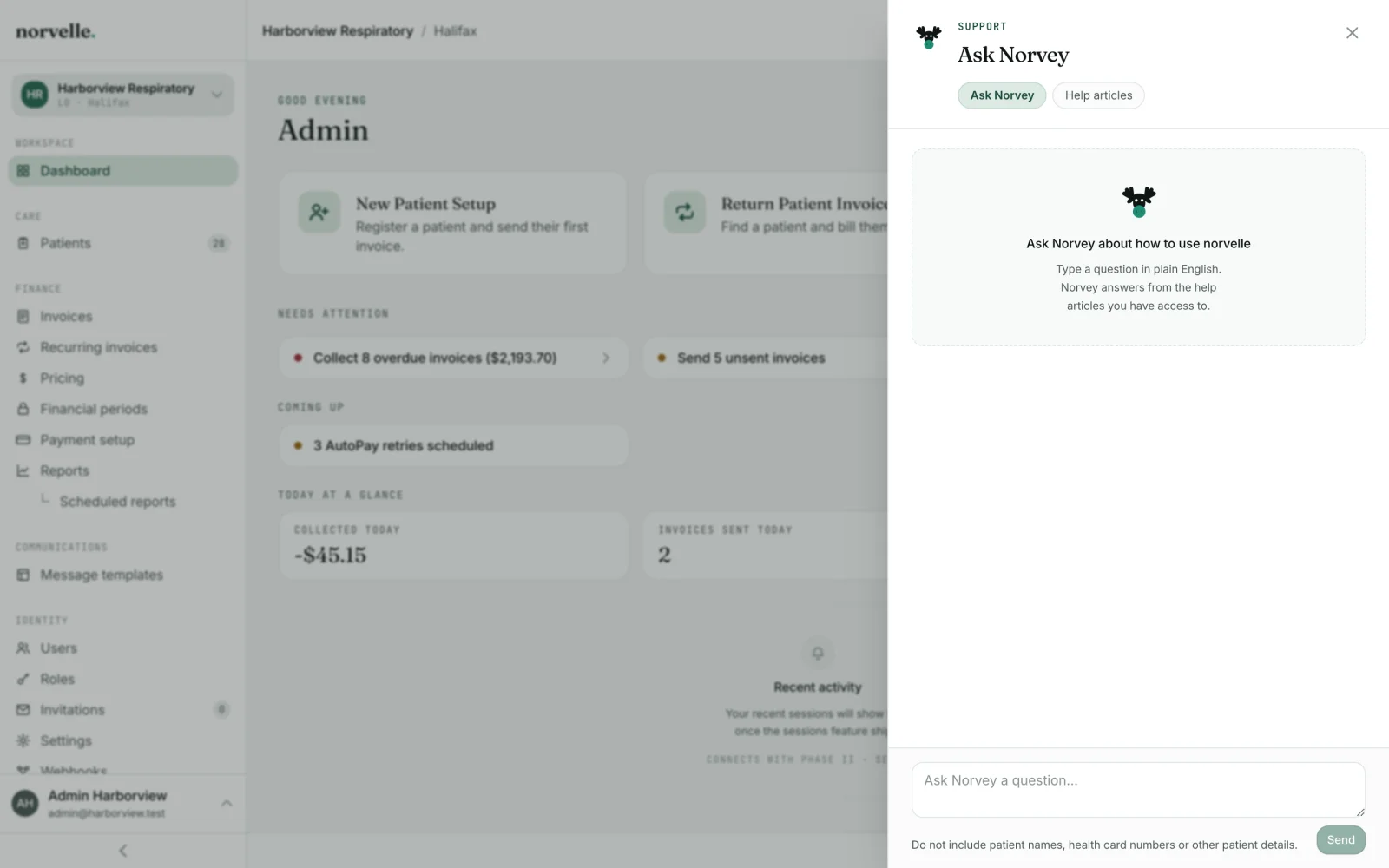
How it works
From question to answer.
- 1Open it from the top bar
Norvey is one click away from any screen in norvelle.
- 2Ask in your own words
Norvey searches more than 440 help articles for the answer.
- 3Follow up, or reach a person
Follow-ups keep the thread. No answer? Norvey offers a ticket to our team.
Real questions
Questions your team asks every day.
The guardrails are the feature.
What Norvey can see.
Norvey reads one source: the norvelle help centre. More than 440 help articles across nine topics sit behind every answer, and the answer names the articles it came from, so the person asking can open one and check it before acting.
- The help articles that person's role is allowed to open, and no others.
- The question they typed, and the follow-ups in the same thread.
- Nothing from a patient chart: no name, no health card, no clinical note.
- Nothing from your invoices, payments, reports or stored files.
- Nothing belonging to another clinic, brand or legal entity.
That boundary is why Norvey can sit on every screen. It explains how a task is done in norvelle, while the record itself stays behind the roles, the password re-check on sensitive fields and the audit trail that already govern it.
What Norvey will not answer.
Norvey turns down more questions than a search box would, and each refusal is deliberate.
- A question that looks like it carries patient details, which is stopped before anything is sent for an answer, so the question box never becomes a second copy of the chart.
- Clinical and medical questions. Norvey answers how to use norvelle, and it is not a clinical tool.
- Questions about one patient's balance, equipment or history. Those are answered on the record, by someone whose role allows it.
- Anything the help centre does not cover. Norvey says the documentation does not cover it, offers the closest articles, and can raise a ticket with the norvelle team instead of guessing.
Norvey does not act, either. It cannot issue an invoice, change a price, grant a permission or email a patient: every answer is an explanation, and a person decides what happens next in norvelle.